
A teleprompter that keeps both screens on the same line
We used an iPad as a teleprompter until the complaints outnumbered the takes. Teleprompt is what we built instead: two devices, one line, free and MIT licensed.
The brief
We used an iPad as a teleprompter for long enough to collect a list of complaints. Every app we tried fixed some of it. None of them fixed the part that actually slows a shoot down, which is that the person reading and the person setting the pace are staring at the same screen and want opposite things from it. So we built the one we had been describing to each other, and put it on the web for anyone with the same afternoon behind them.
What was actually wrong
A teleprompter is two jobs wearing one coat. There is the surface the presenter reads, which should hold words and nothing else, and there is the control surface, which needs pace, position and a way to jump back a line when someone fluffs it. Run both on one tablet and the presenter squints past a row of buttons they must not touch. Run them on two devices and you inherit a harder problem: keeping those devices on the same line, over whatever wifi the room happens to have, without a service in the middle holding a copy of the script.
The thing itself
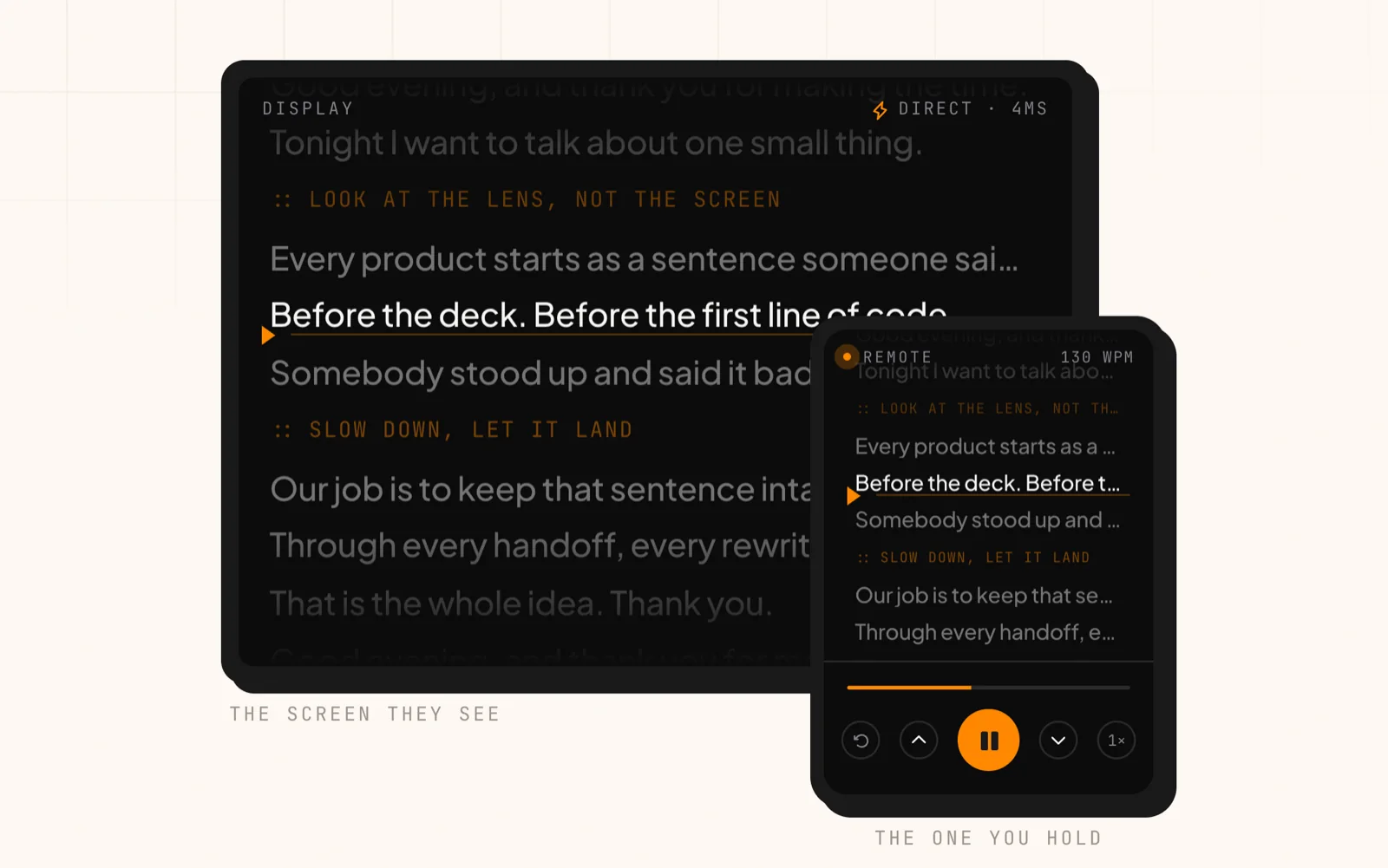
The display and the remote, holding the same line. Drive it with the transport on the right, the way you would on a shoot. Free forever, MIT licensed.
Good evening, and thank you for making the time.
Tonight I want to talk about one small thing.
::LOOK AT THE LENS, NOT THE SCREEN
Every product starts as a sentence someone said out loud.
Before the deck. Before the first line of code.
Somebody stood up and said it badly to three people.
::SLOW DOWN, LET IT LAND
Our job is to keep that sentence intact.
Through every handoff, every rewrite, every sprint.
That is the whole idea. Thank you.
Good evening, and thank you for making the time.
Tonight I want to talk about one small thing.
::LOOK AT THE LENS, NOT THE SCREEN
Every product starts as a sentence someone said out loud.
Before the deck. Before the first line of code.
Somebody stood up and said it badly to three people.
::SLOW DOWN, LET IT LAND
Our job is to keep that sentence intact.
Through every handoff, every rewrite, every sprint.
That is the whole idea. Thank you.
Sample script running on both screens: Good evening, and thank you for making the time. Tonight I want to talk about one small thing. Every product starts as a sentence someone said out loud. Before the deck. Before the first line of code. Somebody stood up and said it badly to three people. Our job is to keep that sentence intact. Through every handoff, every rewrite, every sprint. That is the whole idea. Thank you.
Two screens, one line
The display shows the script. The second device runs play, pace and position. Neither drifts from the other.
Voice tracking and autoscroll
Speech recognition greys out what you have said, so the scroll follows your voice rather than a timer. Set a pace in words per minute on the days you would rather it just run.
Six-character rooms
Type the code on the second device and they are paired. Direct over WebRTC where possible, relayed when not.
Mirror and flip
For a beam splitter, or for a screen you have had to mount upside down. Both are one control away.
Three reading surfaces
Night, Amber and Paper, because the right contrast depends on the room you are standing in.
Installs like an app
Add it to the home screen on iOS, Android, macOS or Windows. It holds the screen awake and keeps your place.
How we worked
- 01
Split the display from the remote
The screen under the lens shows the script. That is all it does. Play, pace, previous line, next line and jump-to-any-line moved to the second device, the one nobody in frame can see.
- 02
Paired with six characters
Setup is three steps and the second one is typing a six-character room code. The devices connect directly over WebRTC where the network allows it and fall back to a relay when it does not, so the script never has to sit on someone else’s server to get across the room.
- 03
Let the voice drive the scroll
Words per minute works right up until somebody goes off script. So the display can follow the voice instead: the browser’s own speech recognition greys out what has already been said. It finds your place rather than your next word, and the remote still overrides it.
- 04
Made it disappear into the device
It installs to the home screen on iOS, Android, macOS and Windows, holds the screen awake, and remembers where you stopped. Mirror and flip are one control away for a beam splitter. Cue lines start with :: and stay out of the word count, so a stage direction never skews the pace.
What changed
The fix was never the pairing. It was giving up on the timer. Voice tracking follows what you actually said and greys it out behind you, so a presenter who goes off script for a sentence comes back to the right line instead of a paragraph they have already read. Set a pace in words per minute on the days you want one. All of it went out free and MIT licensed with the repository public, so the code running the live site is the code you can read. Biios for the community.
Got a version of this problem?
Tell us where you are and where you want to be. A paragraph is plenty to start, and you will hear back within a business day.
Have a project in mind?
Let’s build something extraordinary.
Tell us where you’re headed. We’ll bring the team to get you there.